What a 105% reserve ratio actually proves: checking your own balance in Bitunix's Merkle tree
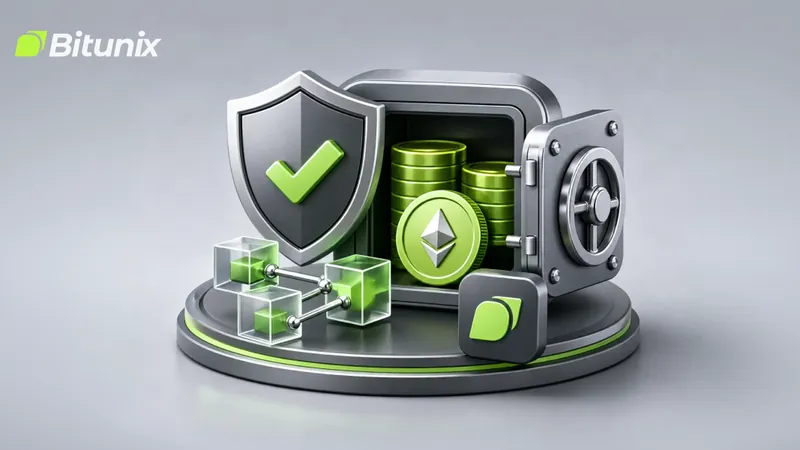
Every time an exchange somewhere has a bad week, the same question comes back: is my balance actually backed? Bitunix's blog has an updated guide on how its Proof of Reserves works and, more usefully, how you can check that your own account is counted instead of taking a dashboard on faith.
The image is the official artwork from that Bitunix article: a shield with a green check, an open vault of green coins with an ETH coin in front, and a few linked cubes standing in for the Merkle tree.
The ratio, in one example
Proof of Reserves compares what the exchange holds with what it owes customers on that asset. The guide's example: customers hold 100 BTC in total, the exchange shows 105 BTC in reserves, so the reserve ratio is 105%. Anything at or above 100% means the reserves shown cover the customer balances counted. The dashboard snapshot captioned in the article shows BTC at 156%, ETH at 108% and USDT at 105%.
Where the Merkle tree comes in
A ratio is only as good as the customer total behind it. That's the part the Merkle tree handles.
- Each account balance is hashed into a leaf
- Leaves are hashed together in pairs, then pairs of pairs, up to one root hash
- The root is published. Change any single balance and the root changes
So if your leaf is in the tree that produces the published root, your balance was included in the liabilities side of the calculation.
Checking your own account, step by step
- Open the official Proof of Reserves page
- Open your account's verification record and copy your Merkle leaf
- Paste it into the online verifier on that page
- Or, if you'd rather not trust the web tool, download the open-source verification tool from Bitunix's GitHub and run it locally against the published merkle_tree_bitunix.json file
A good result reads "Consistent with the Merkle tree root hash." Anything else is worth a support ticket and a screenshot.
What it doesn't prove
The guide is upfront about the limits, and they matter:
- PoR is not a full financial audit
- It doesn't prove overall solvency, since it doesn't show every liability the company has
- It doesn't guarantee withdrawals at any given moment
- It's a snapshot at a point in time, so the ratio you see is for that snapshot date
One more line from the guide worth repeating: verification never needs your password or private keys. Anyone asking for those while "helping you verify reserves" is running a scam.
How to use it
Check your leaf once after each new snapshot, note the date and the ratio for the assets you actually hold, and compare over time. A single good number tells you less than a run of them.
Open an account
 Bitunix
Referral code
Open BitunixThe LiquidityFlow promo code for Bitunix is rewards. It is already attached to the registration link on this page. LiquidityFlow may earn a commission if you register through that link. Affiliate disclosure
More Bitunix posts
- Bitunix market check, Sunday morning: BTC 80,377.10, sentiment 54 (Neutral)
- Medtronic MDTUS/USDT on Bitunix slips to the bottom of its 94.5-96 range
- AXIS/USDT on Bitunix: the Axis Robotics breakout fully unwound, now 0.25
- BTC 80,794.40 on Bitunix this evening - Firedancer makes bounty hunters burn 1 SOL even for duplicate bug reports, plus a 31-perp board