


Exchange review · Updated
Tapbit review (2026): promo code 42042069 and dated fees
Short answer
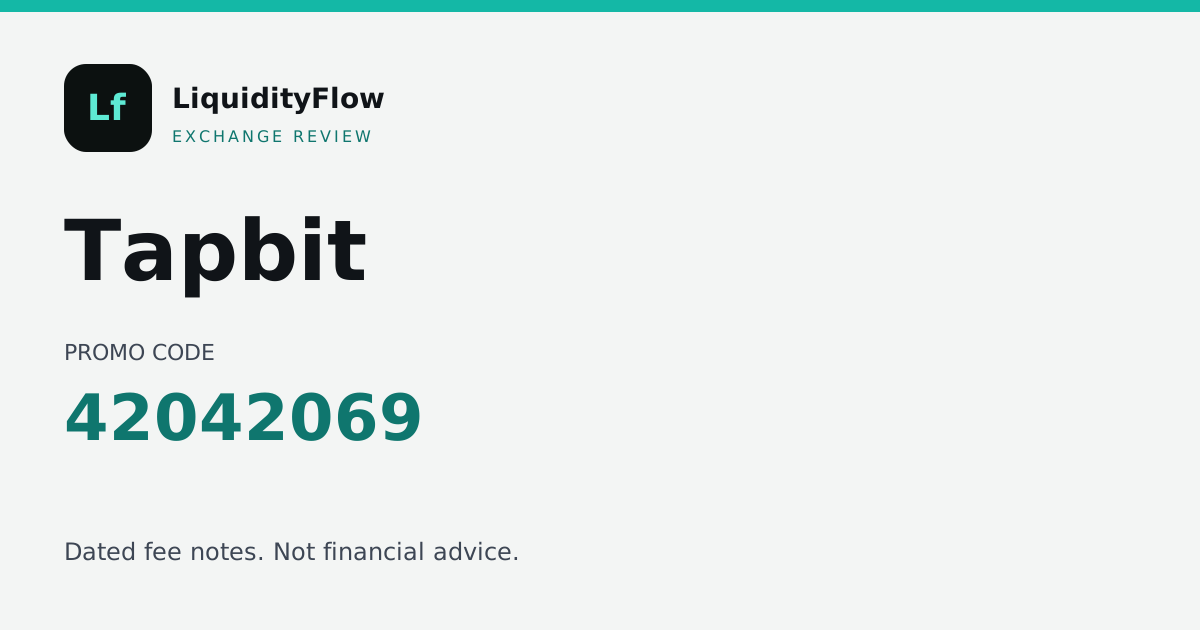
The Tapbit promo code on LiquidityFlow is 42042069. Type it if Tapbit’s signup form asks for a referral or promo code. The button on this page opens tapbit.com and does not insert the code. Tapbit’s official help article on fees, checked 2026-10-22, lists derivatives at 0.02% maker and 0.06% taker, and spot at 0% on BTC, ETH, XRP, SOL and DOGE /USDT and 0.1% on other pairs.
Tapbit fees
Spot
- Maker
- 0.10%
- Taker
- 0.10%
Perpetual futures
- Maker
- 0.02%
- Taker
- 0.06%
As of 2026-10-22. Source: Tapbit official help article “Fees (Spot & Derivatives)”, published 2025-03-18. Compare it with other exchanges in the best crypto futures exchanges for 2026.
Perpetual round trip on eight exchanges
Each row uses that exchange's copied perpetual rate. Tapbit's row is marked. Open a name to jump to that review's order-ticket tutorial.
| Desk | Perp taker | 1,000 USDT taker round trip | 10,000 USDT taker round trip | 1,000 USDT maker round trip | Figure order | Copied |
|---|---|---|---|---|---|---|
 BloFin | 0.06% | 1.20 USDT | 12.00 USDT | 0.40 USDT | Tied 3 | 2026-11-04 |
 Bitunix | 0.06% | 1.20 USDT | 12.00 USDT | 0.40 USDT | Tied 3 | 2026-11-04 |
 Bitbase | 0.06% | 1.20 USDT | 12.00 USDT | 0.40 USDT | Tied 3 | 2026-10-30 |
 BYDFi | 0.06% | 1.20 USDT | 12.00 USDT | 0.40 USDT | Tied 3 | 2026-11-04 |
 KCEX | 0.01% | 0.20 USDT | 2.00 USDT | 0.00 USDT | 1 | 2026-11-04 |
 MEXC | 0.02% | 0.40 USDT | 4.00 USDT | 0.00 USDT | 2 | 2026-11-04 |
| Tapbit | 0.06% | 1.20 USDT | 12.00 USDT | 0.40 USDT | Tied 3 | 2026-10-22 |
 Toobit | 0.06% | 1.20 USDT | 12.00 USDT | 0.40 USDT | Tied 3 | 2026-10-22 |
A taker round trip is the copied perpetual taker rate times the notional, then times two for the open and the close. The maker column uses the copied maker rate the same way. Figure order is that arithmetic, lowest 1,000 USDT taker figure first. It is a sort of the copied rates. Funding, the spread, and a later tier are outside the cells.
Tools and features on Tapbit
Five tutorials follow the fee table: the order ticket, perpetual margin, exit orders, one product Tapbit's own learn pages name, and a reading order into that material. The code on this page is 42042069. Worked figures use the schedule copied 2026-10-22. They are arithmetic on that copy, not a live quote.
- 01 The order ticket, priced on 1,000 USDT
- 02 Margin, leverage, and position size
- 03 Take-profit, stop-loss, and the trigger price
- 04 What Tapbit Learn actually groups on the page
- 05 Academy, blog, and where the code goes
The order ticket, priced on 1,000 USDT
On the perpetual schedule copied 2026-10-22, a taker fill of 1,000 USDT notional at 0.06% costs 0.60 USDT. Closing that same notional with a second taker fill costs the same again, so the round trip is 1.20 USDT. If both legs rest as maker at 0.02%, the round trip is 0.40 USDT. A spot taker fill of 1,000 USDT at 0.10% is 1.00 USDT. The spot maker side of that notional is 1.00 USDT. Funding, the spread, and a later tier change sit outside those figures. Tapbit can show a different rate in the account than the row copied on 2026-10-22.
On the copied perpetual taker schedules, 1.20 USDT for a 1,000 USDT round trip is tied for the 3rd lowest figure. The same rate on 10,000 USDT of notional is 12.00 USDT. Each row keeps its own copy date. Funding and the spread sit outside both figures.
- Open the Tapbit market you mean to trade and read the pair in the header before you type a size.
- Choose a limit if you want a price you set. A limit that rests on the book is usually charged the maker rate, 0.02% on the copied perpetual schedule. A market order, or a limit that fills immediately, is usually charged the taker rate, 0.06%.
- Type the size in the unit Tapbit shows, whether that is coin, contracts, or quote currency. The 1,000 USDT figure above is notional, price times size. With leverage above 1, the margin you post is smaller than that notional, and the fee is still charged on the notional.
- Read the fee line on the ticket if Tapbit prints one. When that line disagrees with this page, the ticket is the rate for that order. This copy is dated 2026-10-22.
- Open the round-trip board above this tutorial and read the Tapbit row against the other seven desks. At 10,000 USDT of notional, use the 10,000 column. That column is ten times the 1,000 USDT taker round trip because the copied rate is a percent of notional.
Margin, leverage, and position size
Tapbit lists perpetual contracts. This desk does not publish a leverage ceiling, so the multiple on their contract page is the one to read. Raising leverage moves the liquidation price toward your entry.
- Choose isolated or cross before you fund the position. Isolated keeps the posted margin on that position. Cross can draw the shared futures balance on Tapbit.
- This desk has no leverage ceiling stored for Tapbit. Read the multiple on the contract page before you change it.
- Set the size from the amount you can lose. The workbook at /tools divides an equity figure you type by a stop distance you type. It does not send an order to Tapbit.
- If you plan to hold past a funding timestamp, read the funding rate on that contract. The rate changes. Our explanation of who pays is the funding lesson linked here. The live print belongs to Tapbit.
Take-profit, stop-loss, and the trigger price
With leverage left blank and fees from a help article, the rate that matters is the one Tapbit prints on the ticket while you are ordering. Set a take-profit and a stop-loss if the futures ticket offers them, and read their Trading Guides for which price fires the trigger.
- Open Trading Guides on Tapbit Learn before you set a trigger.
- Attach a take-profit and a stop-loss if the futures ticket shows those fields.
- Leave maker, taker, and leverage unverified until the ticket shows you a figure. Do not borrow a number from another exchange's row on our fee desk.
- KYC is unverified in our notes. Use Tapbit's onboarding pages, starting with the getting-started category, before you rely on a withdrawal.
What Tapbit Learn actually groups on the page
Tapbit's English Learn page groups Latest, Trading Guides, Hot Topics, Crypto Wiki, Market Insights, Trending News, Crypto Glossary, Tapbit Branding, and Authors. The navigation shows Spot, Futures, Earn, and VIP. Those are their labels. This desk has not copied a fee table, a leverage ceiling, or a KYC rule, so none of those labels becomes a number on this review.
- Open the English Learn hub and read Trading Guides before you place an order.
- Use the getting-started support category for 2FA, the app, the PIN, and the general questions. The category we opened was dated 2025-09-15.
- Earn and VIP are navigation labels on their Learn page. Read Tapbit's own page for what each one requires. This review does not add a rate or a tier.
- Type 42042069 if the signup form has a code field. The Learn links do not insert it. The button on this page opens tapbit.com.
Academy, blog, and where the code goes
Tapbit's code is typed, not embedded in a URL. The Learn, guides, and support links are plain official pages. When you create an account, type 42042069 if the form asks for a code. The homepage button on this review is the official site and does not insert the code.
- Open the English Learn hub. Stay on the /en/ pages. Locale variants exist, and this review links the English ones.
- Open Trading Guides, then the support center if you need the wider help index.
- Open the getting-started category for 2FA, the app download, the PIN, and general questions.
- Type 42042069 on the signup form with no spaces. Come back to this review only for the dated gap: fees, leverage, and KYC were still blank on 2026-09-02.
Tapbit promo code and referral code
The Tapbit referral code and the Tapbit promo code on this desk are 42042069. Unlike the other partner links, this code is not embedded in a tracked invite URL. You have to enter it on Tapbit’s form if a field is there. If the form has no field, do not assume the code was applied.
We will not invent a Tapbit registration URL to carry the code. A guessed path would send you to the wrong page. The official site link is the homepage only.
What we checked on Tapbit
Tapbit is listed as a spot and derivatives venue. The fee rows come from Tapbit’s official help article “Fees (Spot & Derivatives)”, published 2025-03-18 and checked on 2026-10-22. Leverage caps and KYC rules are blank on purpose, because they were not in our notes. Use Tapbit’s onboarding pages for those.
How to use the Tapbit code
Open Tapbit’s official site from the button on this page. Find the registration form. If it asks for a referral, invitation, or promo code, enter 42042069 with no spaces. Finish only if the form accepts it. Then read the fee line on Tapbit’s ticket. This review cannot confirm the rate you will be charged.
Who wrote this Tapbit review
LiquidityFlow wrote this review. LiquidityFlow does not operate Tapbit. The registration button is an affiliate link, and a commission may be paid if Tapbit attributes the signup to us. The commission leaves the copied fee table as it is.
Identity checks in the Tapbit note
The identity sentence stored for Tapbit is: Not verified in our desk notes. Use Tapbit’s onboarding pages.
Register on Tapbit and place a first perpetual
The longer registration steps are on the Tapbit fee guide. The short version on this review: use the button above, type 42042069 yourself if the form asks for a code, and send a first perpetual only after you have read that contract’s margin rules. Pick the market on Tapbit. Choose an order type. Set the size before you raise leverage. LiquidityFlow does not choose the market.
Tapbit pros and cons
What we like
- The promo code 42042069 is printed in full, including in the page title.
- The page says the homepage button does not attach the code for you.
- Fees are copied from Tapbit’s own help article, with its publish date.
Watch-outs
- There is no tracked invite link that already contains 42042069.
- The fee source is a help-center article, not a dedicated fee page.
- KYC and leverage were not in our notes. Tapbit’s own pages are the source.
Tapbit KYC
Not verified in our desk notes. Use Tapbit’s onboarding pages.
Get desk notes and fee changes as they land.
Join our Telegram channelTapbit questions
Who wrote this Tapbit review?
LiquidityFlow, an independent desk. We do not run Tapbit. The page was updated 2026-11-04.
What did LiquidityFlow check for this Tapbit review?
The promo code 42042069, fees from Tapbit’s help article, and the choice to leave leverage and KYC blank.
Why can my Tapbit fee differ from this review?
The perpetual row is maker 0.02% and taker 0.06% (Trading fees on derivatives), copied 2026-10-22. Tapbit can move an account to another tier, apply a discount, or change the schedule after 2026-10-22. Read the rate inside the account on the day you trade.
Will 42042069 change an existing Tapbit account?
No. 42042069 is a registration string. Opening this review does not retier an account that already exists.
Where is the Tapbit source page for the fees?
Tapbit official help article “Fees (Spot & Derivatives)”, published 2025-03-18: https://www.tapbit.com/
When was this Tapbit review updated?
2026-11-04. The fee rows keep their own copy date, 2026-10-22.
Is copy trading on Tapbit advice from LiquidityFlow?
LiquidityFlow does not select traders or positions. If Tapbit offers copy trading, that product is theirs.
Where is the Tapbit promo code page?
/tapbit-promo-code prints 42042069. The fee guide is /exchanges/tapbit.
Where do I compare Tapbit with the other desks?
The fee desk at /fees lists Tapbit next to the other seven partner venues. Binance appears there as a reference row with no partner link. The other reviews are linked at the bottom of this page.
Compare Tapbit
Other exchange reviews
- Bitunix reviewFees, KYC and referral code
- BloFin reviewFees, KYC and referral code
- KCEX reviewFees, KYC and referral code
- MEXC reviewFees, KYC and referral code
All reviews · Crypto exchange events · Machine-readable index